Build on your own AI agent platform in one command
Pick the modules you want and get an app of your own — running on Chatfuel’s infrastructure, with the skills your coding agent needs to keep building it.
npx @chatfuel/wizard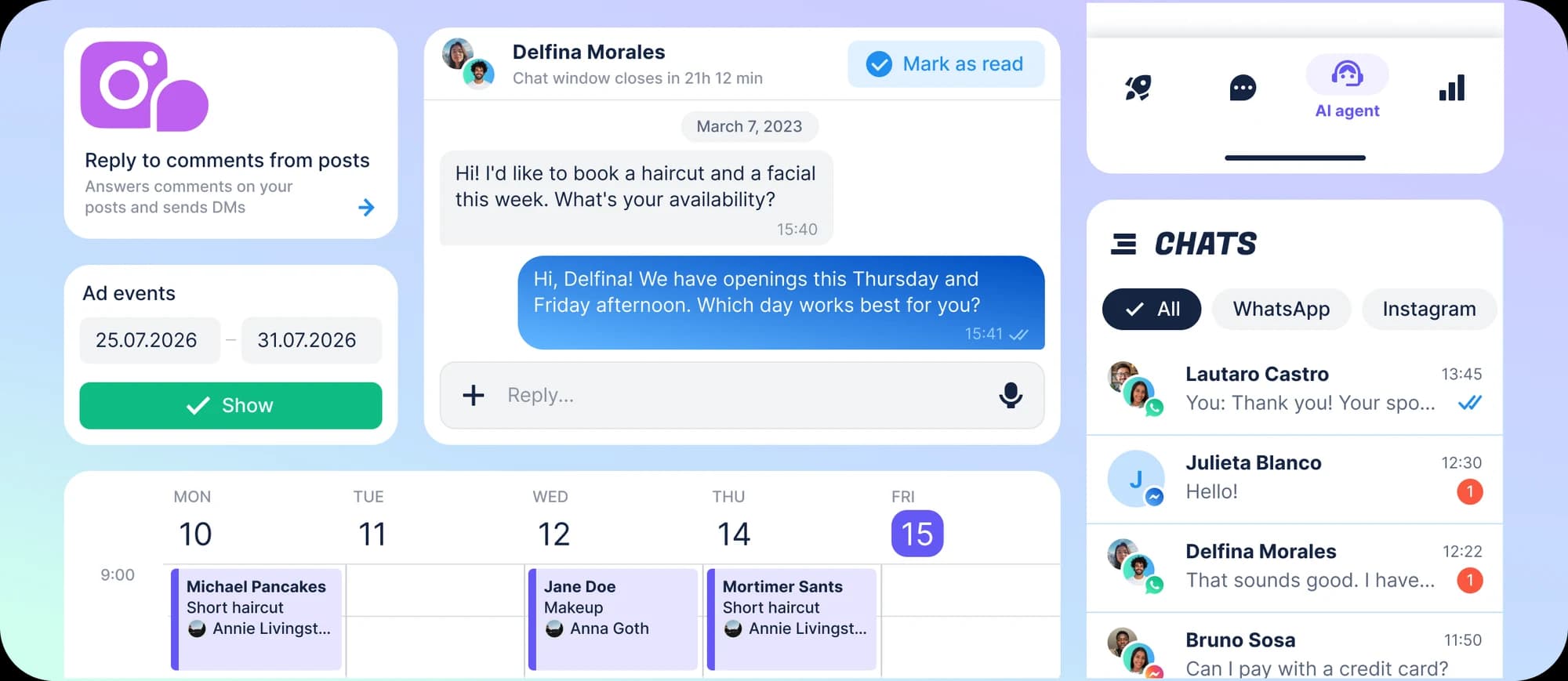
Thirteen modules. Take the ones you need.
Every one is a directory in your app: read it, change it, delete it, or put your own beside it.
- AI AgentAI replies on every channelMore
- Flow BuilderVisual editor for chat flowsMore
- Knowledge BaseEverything the AI knowsMore
- CopilotAI copilot inside your appMore
- InboxShared inbox for your teamMore
- ContactsCRM for your audienceMore
- DealsKanban board for salesMore
- BookingsCalendar for appointmentsMore
- PublishingInstagram posts and ReelsMore
- BroadcastsWhatsApp campaignsMore
- Ads OptimizationAd conversions back to MetaMore
- AccountsSign-up for your customersMore
- AdminOperator panel for the accountMore
Your app, on Chatfuel’s infrastructure
You write the app. The AI agent development platform underneath — the agent, the channels, the data — is already running.
AI agents, not flow charts
The agent reads the conversation, answers, qualifies and books. The flow canvas is there for the branch you want scripted — one module of thirteen, not the way in.
No Meta review
The channel is connected through Chatfuel — an official Meta partner and WhatsApp Business Solution Provider. You ship an app, not a submission.
Three minutes to a running app
One command. No backend to write, none to run, and no dashboard to configure before the first message arrives.
Your coding agent knows the codebase
Skills land in .claude/skills or .agents/skills with the same notes about the API’s edges that we have. The agent that continues the work is not starting cold.
Every way in, automated
Connect a channel and the agent answers there. Each entry point carries rules of its own — when the AI replies, when it hands the chat to a human, follow-ups, bookings, the catalogue it sells from.
| Entry point | TikTok | Web widget | |||
|---|---|---|---|---|---|
| Direct messages | |||||
| Post comments | |||||
| Ad comments | |||||
| Story replies | |||||
| Click from ads | |||||
| Click from posts | |||||
| Link straight to the chat | ig.me | m.me |
One command, then it is your project
Take the modules you want, drop the ones you don’t, and build the rest yourself — on an AI agent builder platform that is already running.
Build any feature you want
The API is the platform: the agent, the channels, contacts, conversations, bookings. Write whatever screens and logic your business needs on top of infrastructure that is already running.
Your UI, not a recolour
Draw the interface you want. Colour, radius, spacing and dark mode are one CSS file, no component hardcodes a colour, and every screen is source you can rewrite. Your name and logo go in at install.
Your users, your pricing
Add the auth module and the app is multi-tenant: people sign up to you, and every account gets an AI agent of its own inside your workspace, on your plan.
You own the code
MIT. The design system, the API client and the proxy are copied in as source, and nothing in package.json points back at us. Upgrades are a re-run or a diff, not npm update.
Three ways people ship it
Same command, same modules — a different owner of the account at the end of it.
Deploy it your way
All three run the same proxy source. Delete vercel.json and api/chatfuel.ts and what is left is a working Node app.
FAQs
What it generates, what it costs, and what happens after the CLI exits.
A Vite + React + TypeScript app you own outright. Each module you picked is a directory under src/modules; the design system and the API client are vendored as source under src/vendor; a proxy keeps your Chatfuel token server-side. Plus the agent skills, an .env written mode 0600, and a README for the project itself.